How can I create an API key?
Last updated: March 22, 2025
Creating a new API key is simple!
Just head over to the Tavily Platform and sign in to your account (or create one if you haven't already). There, you can find your API keys in your dashboard.
Adding an Additional API Key
If you need to create an additional API key, simply click on the "+" button next to the API keys section in your dashboard. This allows you to generate multiple keys for different use cases.

Configuring Your API Key
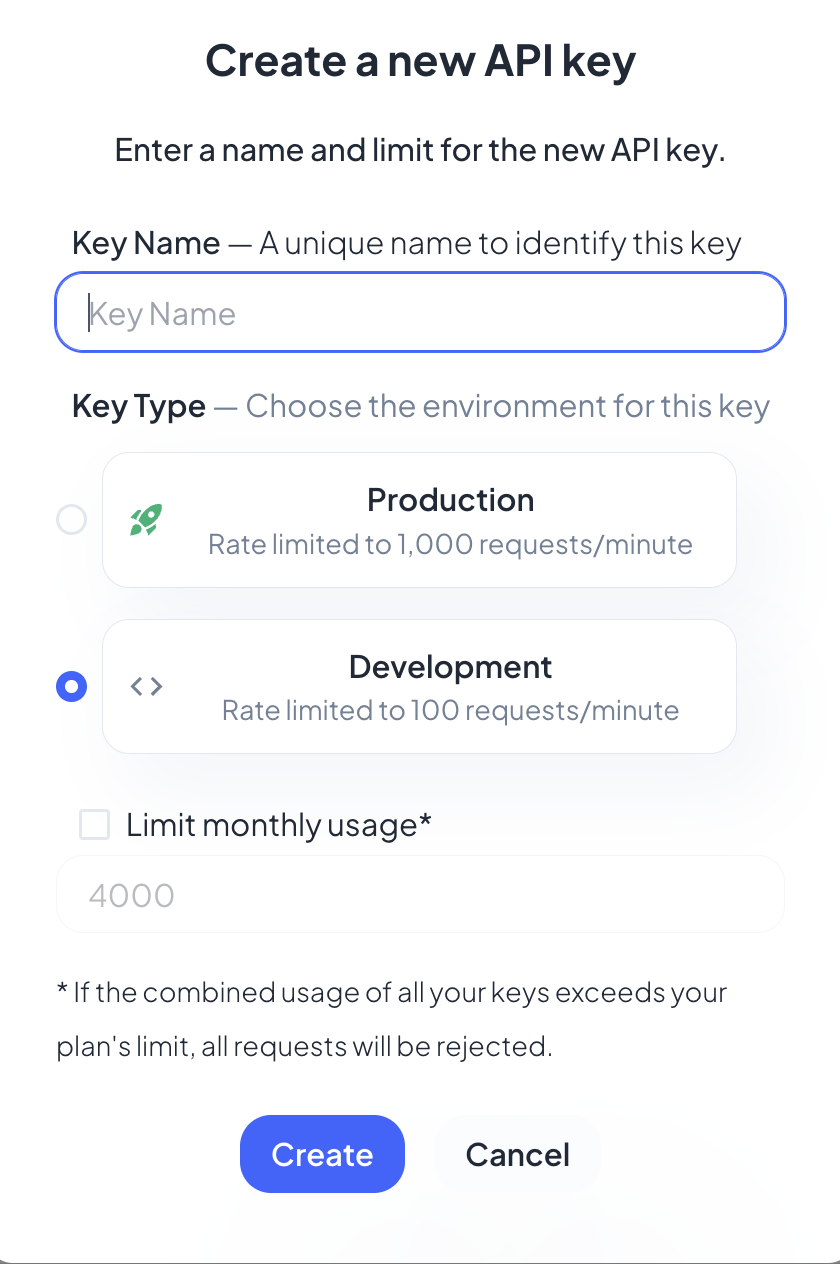
When creating a new API key, you can:
Enter a Key Name – A unique name to identify this key.
Choose a Key Type – Select between:
Development Key – Allows up to 100 requests per minute.
Production Key – Allows up to 1,000 requests per minute.
Set a Monthly Limit – Define a usage limit to control API credits.
Please note that every new account starts with 1,000 free API credits per month, no credit card required.